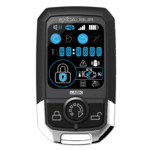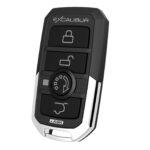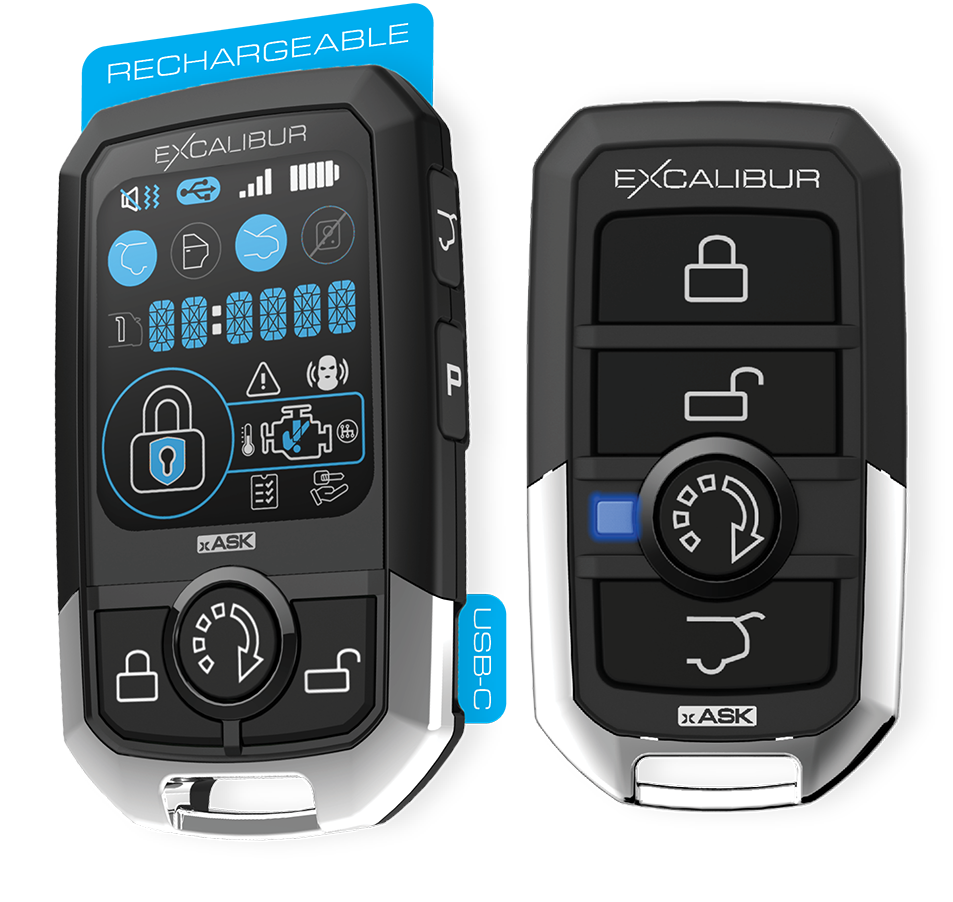
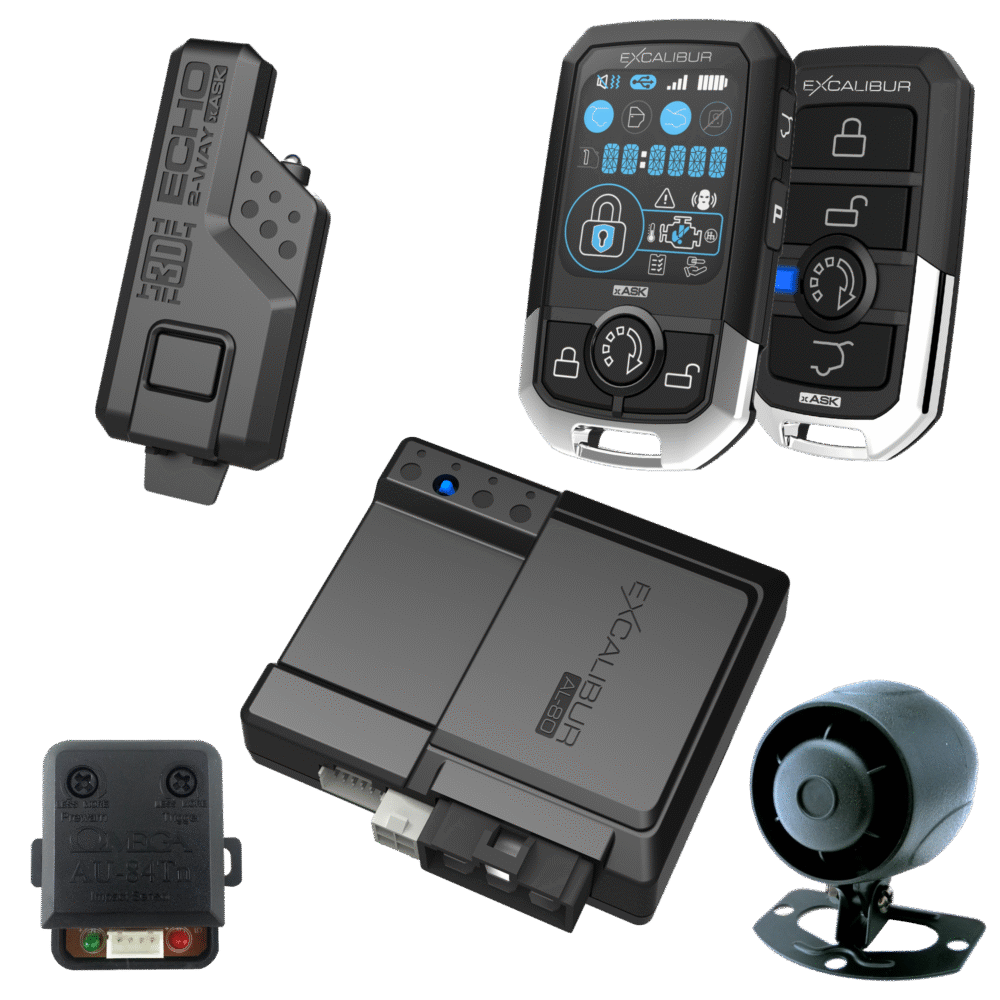
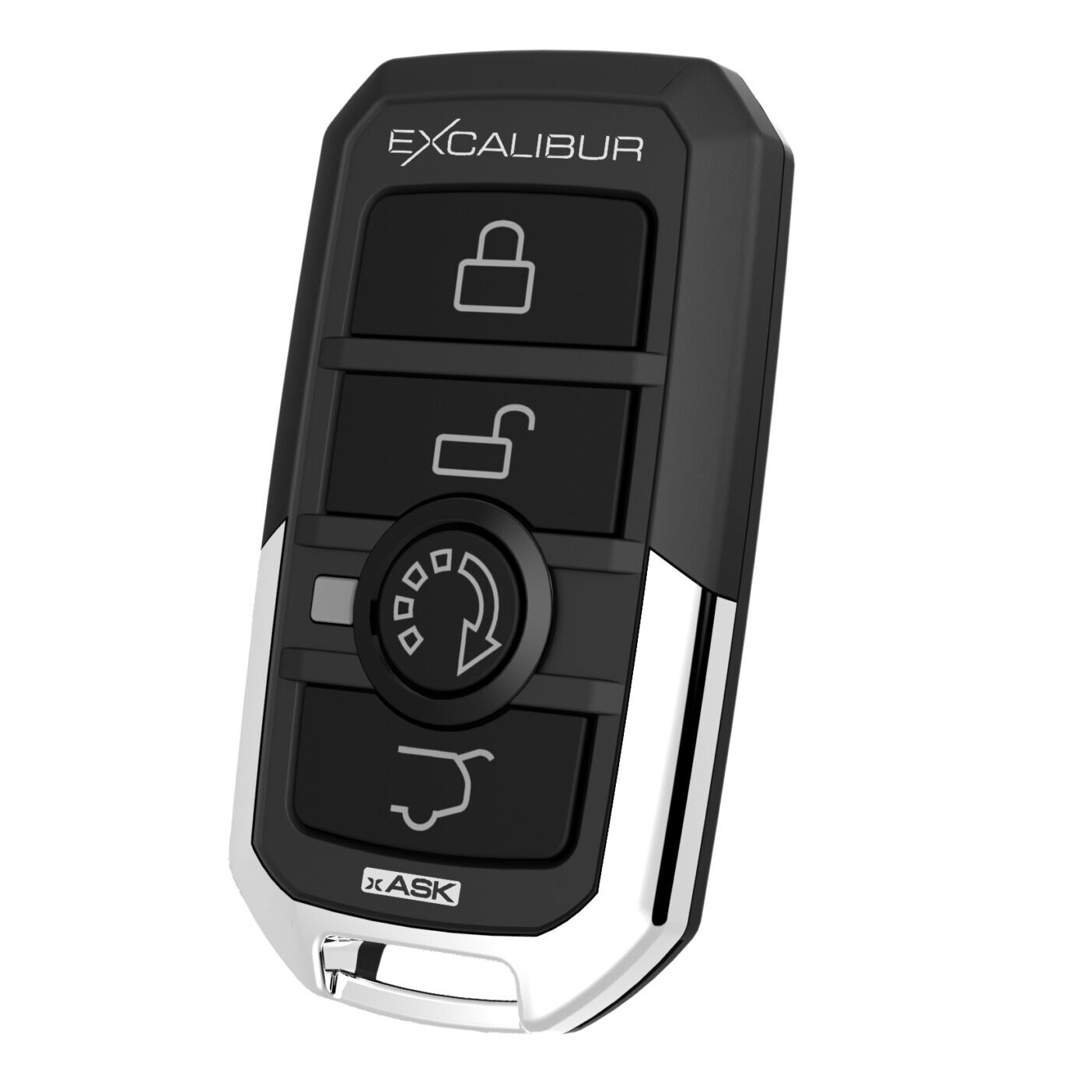
AL-1880-3D

Product Support Page

1/4 Mile | 5-Button Color LCD Rechargeable 2-Way | Remote Start And Security System

Suggested Retail Price:
$249.95
(2 customer reviews)
  1. REQUIREMENTS:

      1. Perform steps 1 & 2 within 10 seconds.
      2. If 10 seconds passes with no activity, the system will auto-exit remote learning.
      3. You must have all remotes to be learned present. Once a remote is learned, all previously learned remotes are deleted.

    STEPS:

    1. Turn ignition on (do not crank the engine)
      1. All your dash lights and gauges should turn on with the engine off.
      2. For push-button vehicles, tap 2x without pressing the brake. This may vary on some vehicles.
    2. Tap valet/programming button 5 times
      1. The valet button is either built into your antenna module or mounted in your dash. If you’re unsure, contact your local Excalibur dealer.
      2. The system will confirm with a long siren chirp / horn honk. Also, the status light will flash rapidly.
    3. Tap the lock button on your remote.
      1. 1-button fobs: tap the start button
      2. NOTE: do not hold the button, some remotes do not transmit until your release the button.
      3. The system will confirm with a short siren chirp, horn honk, and parking light flash.
    4. Repeat Step 3 for any additional remotes.
    5. Turn the ignition off or wait for your system to exit learn mode.
Standard Remote Functions

REQUIREMENTS:

  1. Make sure you are within range of your vehicle.
  2. 2-way controllers only: Make sure you are in the correct vehicle profile (CAR1/CAR2)
  3. Make sure your remote battery is in good working order (the light or screen on the remote turns on when you tap any remote button).

ACTION:

  • Tap the lock button on your remote.
    • Do not hold the button, some remotes do not transmit until your release the button.

SYSTEM/VEHICLE CONFIRMATION: 

  • The vehicle/system will confirm 1 siren chirp, horn honk, and parking light flash.
  • If equipped with an alarm, the alarm will also arm.

2-WAY REMOTE CONFIRMATION:

  • LCD/Screen Confirming: The LOCK icon will illuminate confirm the command was received. It may also beep/vibrate depending on your confirmation settings. 
  • LED Confirming: The LED/Light for the LOCK button will flash to confirm. It may also beep/vibrate depending on your confirmation settings. 

REQUIREMENTS:

  1. Make sure you are within range of your vehicle.
  2. 2-way controllers only: Make sure you are in the correct vehicle profile (CAR1/CAR2)
  3. Make sure your remote battery is in good working order (the light or screen on the remote turns on when you tap any remote button).

ACTION:

  • Tap the trunk button then tap the lock button on your remote within 5 seconds.
    • Do not hold the button, some remotes do not transmit until your release the button.

SYSTEM/VEHICLE CONFIRMATION: 

  • The vehicle/system will confirm with 1 parking light flash.

2-WAY REMOTE CONFIRMATION:

  • LCD/Screen Confirming: The LOCK icon will illuminate confirm the command was received. No shield will be displayed in the LOCK icon. 
  • LED Confirming: The LED/Light for the LOCK button will flash to confirm.  

REQUIREMENTS:

  1. Make sure you are within range of your vehicle.
  2. 2-way controllers only: Make sure you are in the correct vehicle profile (CAR1/CAR2)
  3. Make sure your remote battery is in good working order (the light or screen on the remote turns on when you tap any remote button).

ACTION:

  • Tap the unlock button on your remote.
    • In some application the first unlock operation will unlock the drivers door only and a seconds tap of the unlock button will unlock all doors.
    • Do not hold the button, some remotes do not transmit until you release the button.

SYSTEM/VEHICLE CONFIRMATION: 

  • The vehicle/system will confirm 2 siren chirps, horn honk, and parking light flashes.
  • If equipped with an alarm, the alarm will also disarm.

2-WAY REMOTE CONFIRMATION:

  • LCD/Screen Confirming: The UNLOCK icon will illuminate confirm the command was received. It may also beep/vibrate depending on your confirmation settings. 
  • LED Confirming: The LED/Light for the UNLOCK button will flash to confirm. It may also beep/vibrate depending on your confirmation settings. 

REQUIREMENTS:

  1. Make sure you are within range of your vehicle.
  2. 2-way controllers only: Make sure you are in the correct vehicle profile (CAR1/CAR2)
  3. Make sure your remote battery is in good working order (the light or screen on the remote turns on when you tap any remote button).

ACTION:

  • Tap the trunk button twice then tap lock or unlock on your remote.
    • Do not hold the button, some remotes do not transmit until your release the button.

SYSTEM/VEHICLE CONFIRMATION: 

  • The vehicle/system will flash the parking lights.
  • If equipped with an alarm, the alarm will also arm or disarm.

2-WAY REMOTE CONFIRMATION:

  • LCD/Screen Confirming: The LOCK or UNLOCK icon will illuminate confirm the command was received.  
  • LED Confirming: The LED/Light for the LOCK or UNLOCK button will flash to confirm.  

REQUIREMENTS:

  1. Make sure you are within range of your vehicle.
  2. 2-way controllers only: Make sure you are in the correct vehicle profile (CAR1/CAR2)
  3. Make sure your remote battery is in good working order (the light or screen on the remote turns on when you tap any remote button).

ACTION:

  • Press and hold the trunk button on your remote for 3 seconds.

SYSTEM/VEHICLE CONFIRMATION: 

  • The vehicle/system will confirm 2 siren chirps, horn honk, and parking light flash.
  • If programmed, the system will also unlock the doors.

2-WAY REMOTE CONFIRMATION:

  • LCD/Screen Confirming: The time display will change to CH2 to confirm the command was received. It may also beep/vibrate depending on your confirmation settings. 
  • LED Confirming: The LED/Light for the TRUNKK button will flash to confirm. It may also beep/vibrate depending on your confirmation settings. 

REQUIREMENTS:

  1. Make sure you are within range of your vehicle.
  2. 2-way controllers only: Make sure you are in the correct vehicle profile (CAR1/CAR2)
  3. Make sure your remote battery is in good working order (the light or screen on the remote turns on when you tap any remote button).

ACTION:

  • Within 5 seconds tap the start button 2 times on your remote.
    • Do not hold the button, some remotes do not transmit until your release the button.
    • 2 times is the default but systems can be programmed for 1 tap or hold for 2 seconds.

SYSTEM/VEHICLE CONFIRMATION: 

  • The vehicle/system will confirm with 1 parking light flash.
  • The vehicle will start between 1 to 30 seconds depending on system configuration.

2-WAY REMOTE CONFIRMATION:

  • LCD/Screen Confirming: The ENGINE icon will illuminate with a check mark to confirm the command was received. It may also play the start melody/vibrate depending on your confirmation settings.
    • Once successful engine running conditions have been meet the time display will switch to display the remaining remote start run time. Press the “P” button to switch between time of day and engine run time. When 1 minute is remaining the time display will begin to flash. At 30 seconds the time display will flash Yellow.
  • LED Confirming: The LED/Light for the START button will flash to confirm. It may also play the start melody/vibrate depending on your confirmation settings. 
    • Once successful engine running conditions have been meet the LED/Lights will begin to flash every 5 seconds representing remaining run time. All 4 LED/Lights = 75% to 100% runtime remaining. 3 LED/Lights = 50% to 74% runtime remaining. 2 LED/Lights = 25% to 49% runtime remaining. 1 LED/Light = 24% to 1% runtime remaining. When 1 minute is remaining the remote will sound a warning and the START LED/Light will flash every second.

REQUIREMENTS:

  1. Make sure you are within range of your vehicle.
  2. 2-way controllers only: Make sure you are in the correct vehicle profile (CAR1/CAR2)
  3. Make sure your remote battery is in good working order (the light or screen on the remote turns on when you tap any remote button).

ACTION:

  • Tap the unlock, then lock, then start button on your remote within 5 seconds.
    • Do not hold the button, some remotes do not transmit until your release the button.

SYSTEM/VEHICLE CONFIRMATION: 

  • The vehicle/system will confirm with 1 chirp when locking/arming with a parking light flash then another chirp and parking light flash to confirm autostart has been engaged.

2-WAY REMOTE CONFIRMATION:

  • LCD/Screen Confirming: When autostart has been engaged a thermometer icon will illuminate next to the engine icon.
  • LED Confirming:   

REQUIREMENTS:

  1. Make sure you are within range of your vehicle.
  2. 2-way controllers only: Make sure you are in the correct vehicle profile (CAR1/CAR2)
  3. Make sure your remote battery is in good working order (the light or screen on the remote turns on when you tap any remote button).
  4. Alarm related functions must be enabled/installed on “RS” models. They are OFF by default. 

ACTION:

  • Within 5 seconds tap the lock button then the trunk button on your remote.
    • Do not hold the button, some remotes do not transmit until your release the button.

SYSTEM/VEHICLE CONFIRMATION: 

  • The vehicle/system will confirm 1 siren chirp/horn honk when armed then 1 more siren chirp/horn honk when the sensor is bypassed.

2-WAY REMOTE CONFIRMATION:

  • LCD/Screen Confirming: The LOCK icon will illuminate confirm the command was received. The sensor icon will be grayed out when the bypass command is received. It may also beep/vibrate depending on your confirmation settings. 
  • LED Confirming: The LED/Light for the LOCK button will flash to confirm. All 4 LED/Lights will flash once the bypass command is received. It may also beep/vibrate depending on your confirmation settings.

REQUIREMENTS:

  1. Make sure you are within range of your vehicle.
  2. 2-way controllers only: Make sure you are in the correct vehicle profile (CAR1/CAR2)
  3. Make sure your remote battery is in good working order (the light or screen on the remote turns on when you tap any remote button).

ACTION:

  • Channel #4: Tap the lock and trunk button together.
    • Hold the lock and trunk button together to activate output for as long as you hold the buttons.
  • (2-way only) Channel #4: Tap “P” 2 times then tap trunk.
    • Hold the trunk button to activate output for as long as you hold the buttons.
  • Channel #5: Tap the unlock and start button together.
    • Hold the unlock and start button together to activate output for as long as you hold the buttons.
  • (2-way only) Channel #5: Tap “P” 3 times then tap trunk.
    • Hold the trunk button to activate output for as long as you hold the buttons.
  • Outputs can be programmed for single pulse/latched or may control vehicle functions via a data module, consult  the system configuration or your installer for further details.
    • If configured as a latched output repeat the activation process to turn the output off, turning the vehicle ignition on will also turn off any latched auxiliary outputs.

SYSTEM/VEHICLE CONFIRMATION: 

  • The vehicle/system response will very depending upon what outputs are wired/configured to control. 

2-WAY REMOTE CONFIRMATION:

  • LCD/Screen Confirming: The time display will change to CH4 or CH5 depending upon the button configuration used.
  • LED Confirming:   

REQUIREMENTS:

  1. Make sure you are within range of your vehicle.
  2. 2-way controllers only: Make sure you are in the correct vehicle profile (CAR1/CAR2)
  3. Make sure your remote battery is in good working order (the light or screen on the remote turns on when you tap any remote button).

ACTION:

  • Tap the lock button, then the unlock button, then trunk and start buttons together on your remote within 5 seconds.
    • Do not hold the button, some remotes do not transmit until your release the button.
    • Repeat this process to exit valet mode.

SYSTEM/VEHICLE CONFIRMATION: 

  • The vehicle/system will confirm lock and unlock operation normally with 1 additional chirp and parking light flash when entering valet mode.
  • The status LED/light will turn ON solid when entering valet mode or turn OFF when exiting valet mode. 

2-WAY REMOTE CONFIRMATION:

  • LCD/Screen Confirming: The valet icon (hand and key) in the bottom right corner will illuminate when entering valet mode or turn off when exiting valet mode.
  • LED Confirming:   

2-Way Only Remote Functions

REQUIREMENTS:

  1. Make sure your remote battery is charged. 

ACTION:

  • Press and hold the “P” button then tap trunk.
    • Each tap of the trunk button will toggle between Beep/Vibrate/Both/Silent.
  • Release the “P” button once you have the desired selection.

2-WAY REMOTE CONFIRMATION:

  • LCD/Screen Confirming: Icons in the top left corner will switch between speaker, wavy lines, or both to indicate current setting.

This feature will disable all buttons on the remote to avoid accidental activation.

REQUIREMENTS:

  1. Make sure your remote battery is charged. 

ACTION:

  • Hold the “P” and Lock button for 2+ seconds.
  • Repeat to exit button lock mode

2-WAY REMOTE CONFIRMATION:

  • The message center (clock digits) will show “LOCKED” upon entering and every time you press a button afterwards.

REQUIREMENTS:

  1. Make sure your remote battery is charged. 

ACTION:

  • Tap the “P” button then within 2 seconds tap the start button.

2-WAY REMOTE CONFIRMATION:

  • LCD/Screen Confirming: The time clock will change to display the current temperature of the interior of the vehicle. 

REQUIREMENTS:

  1. Make sure your remote battery is charged. 

ACTION:

  • Tap the “P” button then within 2 seconds tap the unlock button.

2-WAY REMOTE CONFIRMATION:

  • LCD/Screen Confirming: The time clock will change to display CAR1 or CAR2 and the multi-car icon will also display the current selected vehicle profile. 

REQUIREMENTS:

  1. Make sure your remote battery is charged. 

ACTION:

  • Tap the lock button to lock/arm the system then within 3 seconds tap the lock button again.

2-WAY REMOTE CONFIRMATION:

  • LCD/Screen Confirming: The time display will change to 00:00 P and begin to keep time in hours and minutes.
  • Press “P” to wake the screen and toggle between time of day and parking timer.

REQUIREMENTS:

  1. Make sure your remote battery is charged. 

ACTION:

  • To turn the remote On.
    • Press and hold the Start button for 3 seconds.
  • To turn the remote Off.
    • Press and hold the  “P” and Start button for 3 seconds.

2-WAY REMOTE CONFIRMATION:

  • Turning On.
    • The LCD/Screen  with display the firmware version number and QR code and the power up melody will play.
  • Turning On.
    • The LCD/Screen  with turn off and the power down melody will play.

REQUIREMENTS:

  1. Make sure your remote battery is charged. 

ACTION:

  • Press and hold the “P” button for 3 seconds to enter programming.
    •  Press the LOCK or UNLOCK button to select 12 or 24 hour
      • Press “P” to advance.
    • Press LOCK or UNLOCK button to adjust the hours.
      • Press “P” to advance.
    • Press LOCK or UNLOCK button to adjust the minutes.
      • Press “P” to advance.
    • Press LOCK or UNLOCK button to select remote start melody.
      • Press “P” to advance.
    • Press LOCK or UNLOCK button to select remote start  shut down melody.
      • Press “P” to advance.
    • Press LOCK or UNLOCK button to select Celsius or Fahrenheit temperature display.
      • Press “P” to advance to firmware version and guide QR code.
      • Press “P” again to repeat menu.
  • Do not press any buttons for 5 seconds to return to operation.
  •  

REQUIREMENTS:

  1. Make sure your remote battery is charged. 

ACTION:

  • Tap the “P” button then within 2 seconds tap the lock button.

2-WAY REMOTE CONFIRMATION:

  • LCD/Screen Confirming: All icons (padlock, door, sensor, hood, etc.,.) will update to show the current system status.

Extended Remote Start Functions

Engages the remote start for the programmed runtime while the vehicle is running by the key.

With the vehicle running for more than 10 seconds press & release valet/program button twice.

Confirmation:
The remote start will engage and the status LED will begin flashing.

Note: This feature may not be available on all vehicle, please consult your installer.

Engages the remote start for 12 hours while the vehicle is running by the key.

With the vehicle running for more than 10 seconds press & release valet/program button 6 times.

Confirmation:
The horn/siren will chirp once. The remote start will engage and the status LED will begin flashing.

Enables the remote start while ensuring the vehicle is neutral with the doors closed and locked. There are 6 variations of this setup process, see your installer or programmable features to verify your selected setup method.

Initiation:
Option #1. With the vehicle running for more than 10 seconds and in neutral set the parking brake and initiate remote start via the remote.

Option #2. With the vehicle running for more than 10 seconds and in neutral set the parking brake.

Confirmation:
The remote start will engage and the status LED will begin flashing slow.

Turn the ignition Off and exit the vehicle paying attention to not press the brake pedal. The engine should remain running via the remote start.

Finalize:
Option #1. Close the doors and press the Lock button on the remote.
Confirmation:
The system will arm/lock and the remote start will shut down. The status LED will flash slowly.

Option #2. Close the doors.
Confirmation:
The system will arm/lock and the remote start will shut down. The status LED will flash slowly.

Option #3. Close the doors.
Confirmation:
10 seconds after the doors are closed the system will arm/lock and the remote start will shut down. The status LED will flash slowly.

Once the reservation mode is complete the door status and e-brake status will be monitored for safety. If the doors are opened and/or the e-brake is released the system will not allow remote start. This will be indicated by 2 parking light flashed when remote start is attempted.

Note: Some steps may very slightly based on the vehicle, please consult your installer.

Using The Valet/Programming Button

Disarm the alarm system in the event remotes are inoperable or not available.

With the alarm armed or sounding turn the vehicles ignition On. Press the valet/programming button once within 5 seconds.

Use the valet/programming button to put the system in/out of valet mode. This disables remote start & security functions which is ideal when the system is being serviced at a repair shop (prevent accidental activation and injuries) or when being valet parked (how it got its name!)

Entering Valet Mode:

  • With the system disarmed & unlocked (use remote or perform emergency override) press and hold the valet/program button for >2 seconds.
    • Confirmation: The horn/siren will chirp once and the parking lights will flash twice. The status LED will turn On Solid.
  • Valet Mode Reminder: while the system is in valet mode, the horn/siren (if connected) will chirp 1 time when you tur the ignition off. This is so you don’t forget to enable your security system after having your vehicle serviced.

Exiting Valet Mode:

  • Tap the valet/programming button 1 time.
    • Confirmation: The status LED will turn off

Valet Mode By Remote:

  • Some models support remote activated valet mode. Please see ‘remote operations’ for your system model to learn more. 

Passive Security Functions
  1. REQUIREMENTS:

      1. Perform steps 1 & 2 within 10 seconds.
      2. Once in programming mode, If 30 seconds passes with no activity, the system will auto-exit.
      3. Use the feature chart below or the programming guide included with the system (be sure the firmware version matches your system)
      4. Check if your vehicle requires the ignition to be on for the brake lights to work and remember this for step 2. 

    STEPS:

    1. Turn ignition on (do not crank the engine) then off
      1. Ignition on: All your dash lights and gauges should turn on while the engine is still off.
      2. For push-button vehicles, tap 1-2x without pressing the brake. This may vary on some vehicles, see your vehicle operation guide.
    2. Tap valet/programming button 5 times
      1. The valet button is either built into your antenna module or mounted in your dash. If you’re unsure, contact your local Excalibur dealer.
      2. The system will confirm with a long siren chirp / horn honk. Also, the status light will flash rapidly.
        TIP: If your brake pedal/lights are powered only when the ignition is on (or you’re unsure), turn the ignition on again.
    3. SELECT DESIRED BANK: Tap the valet/programming button = bank number.
      1. The siren/horn will chirp, the status light/LED and parking lights will flash equal to your selection, pause, then repeat.
      2. To select a different bank, repeat this step.
        TIP: If you only get a repeating 1, 1, 1… confirmation, you are tapping the programming button too slowly. 
    4. CONFIRM: Tap the brake pedal quickly to confirm your selection.
      1. To return to bank selection, tap the brake pedal again.
    5. SELECT DESIRED FEATURE: Tap the valet/programming button = feature number.
      1. The siren/horn will chirp, the status light/LED and parking lights will flash equal to your selection, pause, then repeat.
      2. To select a different feature, repeat this step.
        TIP: If you only get a repeating 1, 1, 1… confirmation, you are tapping the programming button too slowly. 
    6. CONFIRM: Tap the brake pedal quickly to confirm your selection.
      1. To return to feature selection, tap the brake pedal again.
    7. SELECT DESIRED OPTION: Tap the valet/programming button = option number.
      1. The siren/horn will chirp, the status light/LED and parking lights will flash equal to your selection, pause, then repeat.
      2. To select a different option, repeat this step.
        TIP: If you only get a repeating 1, 1, 1… confirmation, you are tapping the programming button too slowly. 
    8. CONFIRM: Tap the brake pedal quickly to confirm your selection.
      1. The system will return to feature selection (step 5).
    9. EXIT PROGRAMMING: Turn the ignition ON then OFF again. 
      1. Or, you can wait 30 seconds for the system to auto-exit
      2. The siren/horn will sound and the status light/LED will turn off.


  • Click/Tap the bank name to show/hide all features . . .
  • Click/Tap the feature name to see all options and descriptions . . .
  • See “Programming Features” for instructions on how to change feature options. Some features require the system to be wired accordingly. 
  1. Option 1
    Option 2
    Option 3
    Option 4
    Option 5
    3 minutes
    10 minutes
    15 minutes
    20 minutes
    30 minutes

    Runtime during remote start and pit-stop.

    Option 1
    Option 2
    Option 3
    Option 4
    Option 5
    Option 6
    Off
    11.0 Volts
    11.25 Volts
    11.5 Volts
    11.75 Volts
    12.0 Volts

    Voltage threshold of Low Voltage Autostart

    Option 1
    Option 2
    Option 3
    Option 4
    Off
    0F/-18C Deg.
    15F/-9C Deg.
    32F/0C Deg.

    Temperature threshold of Low Temp Autostart

    Option 1
    Option 2
    Option 3
    Option 4
    Option 5
    Off
    75F/24C Deg.
    90F/32C Deg.
    105F/41C Deg.
    120F/49C Deg.

    Temperature threshold of High Temp Autostart

    Option 1
    Option 2
    Option 3
    Start Button 1X
    Start Button 2X
    Hold Start Button for 2 Seconds

    Remote start operation from remote.

    Option 1
    Option 2
    Option 3
    Option 4
    Off
    1 Minute
    2 Minutes
    3 minutes

    Turbo timer run time

  2. Option 1
    Option 2
    Option 3
    Option 4
    Option 5
    Option 6
    Option 7
    3 minutes
    10 minutes
    15 minutes
    20 minutes
    30 minutes
    45 minutes (No Runtime Extender)
    60 minutes (No Runtime Extender)

    Runtime during remote start and pit-stop.

    Option 1
    Option 2
    Option 3
    Option 4
    Option 5
    Option 6
    Off
    11.0 Volts
    11.25 Volts
    11.5 Volts
    11.75 Volts
    12.0 Volts

    Voltage threshold of Low Voltage Autostart and Low Battery alert. When set to Off Low Battery alert will be 11.5V

    Option 1
    Option 2
    Option 3
    Option 4
    Off
    0F/-18C Deg.
    15F/-9C Deg.
    32F/0C Deg.

    Temperature threshold of Low Temp Autostart

    Option 1
    Option 2
    Option 3
    Option 4
    Option 5
    Off
    75F/24C Deg.
    90F/32C Deg.
    105F/41C Deg.
    120F/49C Deg.

    Temperature threshold of High Temp Autostart

    Option 1
    Option 2
    Option 3
    Start Button 1X
    Start Button 2X
    Hold Start Button for 2 Seconds

    Remote start operation from remote.

    Option 1
    Option 2
    Option 3
    Option 4
    Off
    1 Minute
    2 Minutes
    3 minutes

    Turbo timer run time

  3. Option 1
    Option 2
    Option 3
    Option 4
    Unlock: On | Start: On
    Unlock: On | Start: Flash
    Unlock: Flash | Start: On
    Unlock: Flash | Start: Flash
    Parking lights function during Unlock and Remote Start operation.
    Option 1
    Option 2
    Option 3
    Option 4
    Option 5
    Option 6
    Siren & Horn
    Siren Only
    Horn Only
    On Demand
    2-Way Only
    Off
    • On Demand: Horn and siren will chirp upon second lock or unlock command from the remote.
    • 2-Way Only: Chirp confirmations will only be heard from the 2-way remote.
    Option 1
    Option 2
    Option 3
    Option 4
    Low
    Medium/Low
    Medium/High
    High
    Option 1
    Option 2
    Option 3
    Option 4
    Option 5
    Option 6
    Off
    Ignition On Lock
    Ignition Off Unlock
    Ignition On Lock & Off Unlock
    RPM Lock (Tach Required)
    RPM Lock (Tach Required) & Ignition Off Unlock
    Option 1
    Option 2
    Off
    On

    When On the system will not lock if the doors are open when the ignitioon is turned On.

    Option 1
    Option 2
    Option 3
    Off (Start Only)
    Lock & Unlock
    Unlock Only

    Only applicable when 1-button remote is programmed to the system. 4/5-button remotes will still lock/unlock with the designated buttons. 

    Option 1
    Option 2
    Driver Door 1st
    All Door Unlock
     System must be wired properly or have driver door unlock supported thru the data interface. 
  4. Option 1
    Option 2
    Option 3
    Off
    Sensor Detect
    On
    • Sensor Detect: System will turn on alarm functions upon detecting any sensor trigger via the analog port or data port.
    Option 1
    Option 2
    Option 3
    Option 4
    Option 5
    Option 6
    Option 7
    Option 8
    Option 9
    Option 10
    1
    2
    3
    4
    5
    6
    7
    8
    9
    0

    For single digit override code select “0” for 1st digit.

    Option 1
    Option 2
    Option 3
    Option 4
    Option 5
    Option 6
    Option 7
    Option 8
    Option 9
    1
    2
    3
    4
    5
    6
    7
    8
    9
    Option 1
    Option 2
    Off
    On

    Turing On will allow the ignition to disarm the alarm when triggered. Ignition must be turned On withing 5 seconds of alarm trigger.

    Option 1
    Option 2
    Option 3
    Option 4
    30 Seconds
    60 Seconds
    90 Seconds
    120 Seconds

    Amount of time the alarm will sound before silencing and staying armed. Check local ordinances for any laws limiting the alarm duration. 

    Option 1
    Option 2
    Option 3
    Option 4
    3 Seconds
    15 Seconds
    30 Seconds
    45 Seconds

    Amount of time between the arming chirp and fully armed status. 

    Option 1
    Option 2
    Off
    On

    System will give 3 arming chips if any door is open upon arming from the remote. 

    Option 1
    Option 2
    Option 3
    Off
    On without Door Lock
    On with Door Lock

    The system will arm 30 seconds after the ignition is turned Off and the last door is closed. 

    Option 1
    Option 2
    Option 3
    Option 4
    Off
    On without Door Lock
    On with Door Lock
    Enhanced Rearm

    The system will rearm 90 seconds after disarming if no doors are opened.

    Enhanced Rearm will cancel the rearm process if the Unlock button is pressed twice.

    Option 1
    Option 2
    Off
    On
    Option 1
    Option 2
    Option 3
    Option 4
    Short Pulse
    Medium Pulse
    Long Pulse
    Human Panic!
    • Human Panic:  Random horn honk pulses to make the alarm more noticeable and draw more attention.
    Option 1
    Option 2
    Option 3
    Option 4
    Option 5
    Option 6
    Option 7
    Option 8
    Option 9
    Option 10
    All Zones
    All Zones Except Sensor
    Option 1
    Option 2
    Option 3
    Option 4
    Off
    Ignition
    Door
    Ignition & Door
  5. Option 1
    Option 2
    Option 3
    Option 4
    Off
    Sensor Detect
    On
    Alarm On, Remote Start Off
    • Sensor Detect: System will turn on alarm functions upon detecting any sensor trigger via the analog port or data port.
    Option 1
    Option 2
    Option 3
    Option 4
    Option 5
    Option 6
    Option 7
    Option 8
    Option 9
    Option 10
    1
    2
    3
    4
    5
    6
    7
    8
    9
    0

    For single digit override code select “0” for 1st digit.

    Option 1
    Option 2
    Option 3
    Option 4
    Option 5
    Option 6
    Option 7
    Option 8
    Option 9
    1
    2
    3
    4
    5
    6
    7
    8
    9
    Option 1
    Option 2
    Option 3
    Off
    On
    On w/15 Seconds Delay

    Turing On will allow the ignition to disarm the alarm when triggered. Ignition must be turned On withing 5 seconds of alarm trigger.

    Option 1
    Option 2
    Option 3
    Option 4
    30 Seconds
    60 Seconds
    90 Seconds
    120 Seconds

    Amount of time the alarm will sound before silencing and staying armed. Check local ordinances for any laws limiting the alarm duration. 

    Option 1
    Option 2
    Option 3
    Option 4
    3 Seconds
    15 Seconds
    30 Seconds
    45 Seconds

    Amount of time between the arming chirp and fully armed status. 

    Option 1
    Option 2
    Off
    On

    System will give 3 arming chips if any door is open upon arming from the remote. 

    Option 1
    Option 2
    Option 3
    Off
    On without Door Lock
    On with Door Lock

    The system will arm 30 seconds after the ignition is turned Off and the last door is closed. 

    Option 1
    Option 2
    Option 3
    Option 4
    Off
    On without Door Lock
    On with Door Lock
    Enhanced Rearm

    The system will rearm 90 seconds after disarming if no doors are opened.

    Enhanced Rearm will cancel the rearm process if the Unlock button is pressed twice.

    Option 1
    Option 2
    Off
    On
    Option 1
    Option 2
    Option 3
    Option 4
    Short Pulse
    Medium Pulse
    Long Pulse
    Human Panic!
    • Human Panic:  Random horn honk pulses to make the alarm more noticeable and draw more attention.
    Option 1
    Option 2
    Option 3
    Option 4
    Option 5
    Option 6
    Option 7
    Option 8
    Option 9
    Option 10
    All Zones
    All Zones Except Sensor
    Option 1
    Option 2
    Option 3
    Option 4
    Off
    Ignition
    Door
    Ignition & Door
  6. Option 1
    Option 2
    Option 3
    Option 4
    Option 5
    Progressive Voltage
    Standard Voltage
    Tach Wire
    Datatach
    Crank Only

    Determines how the remote start monitors for engine running status.

    • Progressive Voltage: Voltage is monitored during remote start for a 0.3 volt increase. If vehicle maintains the increase for over 60 seconds the system will continue operation without monitoring voltage for newer progressive voltage charging systems.
    • Standard Voltage: Voltage is monitored during remote start for a 0.5 volt increase. The system will monitor the voltage increase to be maintained for the full runtime.
    • Tach Wire: Engine running status is monitored through an analog tach wire from the vehicles ignition/fuel injection system. Tach learn must be preformed.
    • Datatach: Engine running status is monitored through a digital tach signal from the data interface module. No tach learn required.
    • Crank Only: No engine running status is monitored. Remote start will run for programmed runtime.
    Option 1
    Option 2
    Option 3
    Option 4
    Option 5
    Option 6
    1.5 Seconds
    3 Seconds
    6 Seconds
    15 Seconds
    20 Seconds
    30 Seconds

    Delay between Ignition On and Starter engagement during remote start. Glow Plug Input (data or Analog) will override this setting.

    Option 1
    Option 2
    Option 3
    Option 4
    Option 5
    Option 6
    Average
    0.75 Second
    1 Second
    1.5 Seconds
    2.25 Seconds
    3 Seconds

    This setting only utilized when Engine Detection is set to Progressive Voltage, Standard Voltage, or Crank Only.

    • Average: Crank time monitored during normal starting and averaged over 12 start cycles to get remote start crank time. 
    Option 1
    Option 2
    Option 3
    Option 4
    0 Milliseconds
    200 Milliseconds
    300 Milliseconds
    400 Milliseconds

    This setting only utilized when Engine Detection is set to Progressive Voltage, Standard Voltage, or Crank Only.

    Amount of crank time added to remote start when temperature is below freezing. 

    Option 1
    Option 2
    Option 3
    Option 4
    Green Port = DBI Black Port = DBI
    Green Port = iData Black Port = iData
    Green Port = DBI Black Port = iData
    Green Port = iData Black Port = DBI
    Option 1
    Option 2
    Option 3
    Option 4
    Option 5
    Option 6
    Option 7
    Off
    Set with Park Brake + Remote Start | Engine Off with Lock
    Set with Park Brake + Remote Start | Engine Off with Door Close
    Set with Park Brake + Remote Start | Engine Off 10 seconds after Door Closed
    Set with Park Brake | Engine Off with Lock
    Set with Park Brake | Engine Off with Door Closed
    Set with Park Brake | Engine Off 10 seconds after Door Closed

    This feature determines how manual transmission reservation mode is activated and how/when the engine turns off after a successful setup. 

    Activation Methods:

    • Set with parking brake + remote start command: The system will start the reservation mode activation when you set the vehicle’s parking brake and use the remote/app to activate remote start. 
    • Set with parking brake: The system will start the reservation mode activation when you set the vehicle’s parking brake. 

    Engine Off Methods:

    • Lock: The system will  complete the reservation mode and shut the engine off when all doors are closed and locked from the remote.
    • Door Close: The system will  complete the reservation mode and shut the engine off when all doors are closed.
    • Door Close + 10 Seconds: The system will  complete the reservation mode and shut the engine off 10 seconds after all doors are closed.
    Option 1
    Option 2
    Option 3
    Option 4
    Option 5
    Off
    Lock After Start
    Unlock Before Start
    Unlock Before Start & Lock After Start
    Lock After Remote Start Engine Off

    This feature determines how the remote start operated the door locks during remote start. This may needed in some application to disarm the OEM alarm or keep the doors locked if unlocked by the immobilizer override process

    • Off: No lock or unlock operation during remote start. 
    • Lock After Start: The system will lock the doors after a successful start process had been completed. 
    • Unlock Before Start: The system will unlock the doors before beginning the remote start process.
    • Lock After Remote Start Engine Off: The system will lock the doors after completing the remote start cycle if take over has not been performed. 
    Option 1
    Option 2
    Off
    On
    Option 1
    Option 2
    Off
    On
    Option 1
    Option 2
    Option 3
    Option 4
    Off
    Arm & Disarm
    Arm Only
    Disarm Only

    Control how the system responds to arm/disarm commands from OEM remotes when supported by the data interface module. 

    Option 1
    Option 2
    Standard Flash
    Hazard Flash
    • Standard Flash: Use when parking light output is connected  directly to vehicles parking light circuit.
    • Hazard Flash: Use on some vehicles when connecting to the hazard circuit. Output will pulse once to start hazard flashers and pulse again to stop hazard flashers.
    Option 1
    Option 2
    Option 3
    Option 4
    Option 5
    Alarm Only
    Anti-Grind Only
    Alarm & Anti-Grind
    Automatic – Alarm Only
    Automatic – Alarm & Anti-Grind
    • Alarm Only: Starter Kill output operates when alarm is armed
    • Anti-Grind: Start Kill output operates during remote start to prevent user from turning key to far and engaging starter while vehicle is running via remote start. 
    • Automatic: Start Kill output will engage 30 seconds after the ignition is turned Off. The user must Unlock with the remote or sue the emergency override process to disengage the Starter Kill. 
    Option 1
    Option 2
    Off
    On

    Changes status LED flashes and starter kill operation while the system is armed to reduce the system current draw.

  7. Option 1
    Option 2
    Option 3
    Option 4
    Option 5
    Progressive Voltage
    Standard Voltage
    Tach Wire
    Datatach
    Crank Only

    Determines how the remote start monitors for engine running status.

    • Progressive Voltage: Voltage is monitored during remote start for a 0.3 volt increase. If vehicle maintains the increase for over 60 seconds the system will continue operation without monitoring voltage for newer progressive voltage charging systems.
    • Standard Voltage: Voltage is monitored during remote start for a 0.5 volt increase. The system will monitor the voltage increase to be maintained for the full runtime.
    • Tach Wire: Engine running status is monitored through an analog tach wire from the vehicles ignition/fuel injection system. Tach learn must be preformed.
    • Datatach: Engine running status is monitored through a digital tach signal from the data interface module. No tach learn required.
    • Crank Only: No engine running status is monitored. Remote start will run for programmed runtime.
    Option 1
    Option 2
    Option 3
    Option 4
    Option 5
    Option 6
    1.5 Seconds
    3 Seconds
    6 Seconds
    15 Seconds
    20 Seconds
    30 Seconds

    Delay between Ignition On and Starter engagement during remote start. Glow Plug Input (data or Analog) will override this setting.

    Option 1
    Option 2
    Option 3
    Option 4
    Option 5
    Option 6
    Average
    0.75 Second
    1 Second
    1.5 Seconds
    2.25 Seconds
    3 Seconds

    This setting only utilized when Engine Detection is set to Progressive Voltage, Standard Voltage, or Crank Only.

    • Average: Crank time monitored during normal starting and averaged over 12 start cycles to get remote start crank time. 
    Option 1
    Option 2
    Option 3
    Option 4
    0 Milliseconds
    200 Milliseconds
    300 Milliseconds
    400 Milliseconds

    This setting only utilized when Engine Detection is set to Progressive Voltage, Standard Voltage, or Crank Only.

    Amount of crank time added to remote start when temperature is below freezing. 

    Option 1
    Option 2
    Option 3
    Option 4
    Green Port = DBI Black Port = DBI
    Green Port = iData Black Port = iData
    Green Port = DBI Black Port = iData
    Green Port = iData Black Port = DBI
    Option 1
    Option 2
    Option 3
    Option 4
    Option 5
    Option 6
    Option 7
    Off
    Set with Park Brake + Remote Start | Engine Off with Lock
    Set with Park Brake + Remote Start | Engine Off with Door Close
    Set with Park Brake + Remote Start | Engine Off 10 seconds after Door Closed
    Set with Park Brake | Engine Off with Lock
    Set with Park Brake | Engine Off with Door Closed
    Set with Park Brake | Engine Off 10 seconds after Door Closed

    This feature determines how manual transmission reservation mode is activated and how/when the engine turns off after a successful setup. 

    Activation Methods:

    • Set with parking brake + remote start command: The system will start the reservation mode activation when you set the vehicle’s parking brake and use the remote/app to activate remote start. 
    • Set with parking brake: The system will start the reservation mode activation when you set the vehicle’s parking brake. 

    Engine Off Methods:

    • Lock: The system will  complete the reservation mode and shut the engine off when all doors are closed and locked from the remote.
    • Door Close: The system will  complete the reservation mode and shut the engine off when all doors are closed.
    • Door Close + 10 Seconds: The system will  complete the reservation mode and shut the engine off 10 seconds after all doors are closed.
    Option 1
    Option 2
    Option 3
    Option 4
    Option 5
    Off
    Lock After Start
    Unlock Before Start
    Unlock Before Start & Lock After Start
    Lock After Remote Start Engine Off

    This feature determines how the remote start operated the door locks during remote start. This may needed in some application to disarm the OEM alarm or keep the doors locked if unlocked by the immobilizer override process

    • Off: No lock or unlock operation during remote start. 
    • Lock After Start: The system will lock the doors after a successful start process had been completed. 
    • Unlock Before Start: The system will unlock the doors before beginning the remote start process.
    • Lock After Remote Start Engine Off: The system will lock the doors after completing the remote start cycle if take over has not been performed. 
    Option 1
    Option 2
    Off
    On
    Option 1
    Option 2
    Off
    On
    Option 1
    Option 2
    Option 3
    Option 4
    Off
    Arm & Disarm
    Arm Only
    Disarm Only

    Control how the system responds to arm/disarm commands from OEM remotes when supported by the data interface module. 

    Option 1
    Option 2
    Standard Flash
    Hazard Flash
    • Standard Flash: Use when parking light output is connected  directly to vehicles parking light circuit.
    • Hazard Flash: Use on some vehicles when connecting to the hazard circuit. Output will pulse once to start hazard flashers and pulse again to stop hazard flashers.
    Option 1
    Option 2
    Option 3
    Option 4
    Option 5
    Option 6
    Option 7
    Option 8
    Alarm Only
    Anti-Grind Only
    Alarm & Anti-Grind
    Automatic – Alarm Only
    Alarm N/O
    Automatic N/O
    Brake Activated N/C
    Brake Activated N/O
    • Alarm Only: Starter Kill output operates when alarm is armed
    • Anti-Grind: Start Kill output operates during remote start to prevent user from turning key to far and engaging starter while vehicle is running via remote start. 
    • Automatic: Start Kill output will engage 30 seconds after the ignition is turned Off. The user must Unlock with the remote or sue the emergency override process to disengage the Starter Kill. 
    • Brake Activated: Start Kill output will when the brake is pressed. Ideal for Push-to-Start vehicles to interrupt the PTS button signal when the brake is pressed to prevent starting.
    • N/O: Output operation intended for Normally Open relay wiring.
    • N/C: Output operation intended for Normally Closed relay wiring.
    Option 1
    Option 2
    Off
    On

    Changes status LED flashes and starter kill operation while the system is armed to reduce the system current draw.

  8. Option 1
    Option 2
    Option 3
    Ignition
    Accessory
    Start
    Option 1
    Option 2
    Option 3
    Ignition
    Accessory
    Start
    Option 1
    Light Flash

    NOTE: There is only 1 option for this version firmware.

    Option 1
    Light Flash

    NOTE: There is only 1 option for this version firmware.

    Option 1
    Horn Honk

    NOTE: There is only 1 option for this version firmware.

    Option 1
    Option 2
    Option 3
    Option 4
    Option 5
    Option 6
    OEM Disarm
    Channel 4 Pulse (0.8 Second)
    Channel 4 Latch
    Channel 5 Pulse (0.8 Second)
    Channel 5 Latch
    Status Light
    • OEM Disarm: Output will pulse upon unlock and before remote start to disarm the OEM alarm.
    • Pulse: Output will will pulse for 0.8 seconds when the channel 4/5 command is received from the remote or data module.
    • Latch: Output will will turn On when the channel 4/5 command is received from the remote or data module. Output will turn Off when another channel 4/5 command is received from the remote or data module or when the ignition is turned On. 
    • Status Light: Output will function to match the operation of the Status LED. 
    Option 1
    Option 2
    Option 3
    Option 4
    Option 5
    Option 6
    OEM Arm
    Channel 4 Pulse (0.8 Second)
    Channel 4 Latch
    Channel 5 Pulse (0.8 Second)
    Channel 5 Latch
    Status Light
    • OEM Arm: Output will pulse upon lock and after remote start shuts down to arm the OEM alarm.
    • Pulse: Output will will pulse for 0.8 seconds when the channel 4/5 command is received from the remote or data module.
    • Latch: Output will will turn On when the channel 4/5 command is received from the remote or data module. Output will turn Off when another channel 4/5 command is received from the remote or data module or when the ignition is turned On. 
    • Status Light: Output will function to match the operation of the Status LED. 
    Option 1
    Option 2
    Starter Kill
    Status Light
    • Starter Kill: Output will follow operation selected with Starter Kill Function feature.
    • Status Light: Output will function to match the operation of the Status LED. 
    Option 1
    Trunk Release

    NOTE: There is only 1 option for this version firmware.

    Option 1
    Option 2
    Option 3
    Option 4
    Option 5
    Option 6
    Unlock 0.125 Second
    Unlock 0.4 Second
    Unlock 0.8 Second
    Unlock Double 0.8 Second
    Unlock 3 Seconds
    Unlock 28 Seconds
    Option 1
    Option 2
    Option 3
    Option 4
    Option 5
    Option 6
    Lock 0.125 Second
    Lock 0.4 Second
    Lock 0.8 Second
    Lock Double 0.8 Second
    Lock 3 Seconds
    Lock 28 Seconds
    Option 1
    Option 2
    Option 3
    Option 4
    Option 5
    Option 6
    Option 7
    Option 8
    Ground While Running/Status
    Ignition
    Start
    0.8 Seconds Defrost
    10 Minute Defrost
    Pulse After Remote Start Off
    Horn
    Status Light
    • GWR/Status: Output during remote start.
    • Defrost: Output will activate for programmed time during remote start when temperate is below freezing.
    • Status Light: Output will function to match the operation of the Status LED. 
    Option 1
    Option 2
    Option 3
    Option 4
    Option 5
    Option 6
    Option 7
    Option 8
    Ground While Running/Status
    Ignition
    Start
    0.8 Seconds Defrost
    10 Minute Defrost
    Pulse After Remote Start Off
    Horn
    Status Light
    • GWR/Status: Output during remote start.
    • Defrost: Output will activate for programmed time during remote start when temperate is below freezing.
    • Status Light: Output will function to match the operation of the Status LED. 
  9. Option 1
    Option 2
    Option 3
    Ignition
    Accessory
    Start
    Option 1
    Option 2
    Option 3
    Ignition
    Accessory
    Start
    Option 1
    Option 2
    Light Flash
    Dome Light Illumination
    • Light Flash: Output will function to turn flash the parking light lights upon Unlock/Disarm, remote start, and alarm trigger. 
    • Dome Light Illumination: Output will function to turn on the dome lights upon Unlock/Disarm. 
    Option 1
    Option 2
    Light Flash
    Dome Light Illumination
    • Light Flash: Output will function to turn flash the parking light lights upon Unlock/Disarm, remote start, and alarm trigger. 
    • Dome Light Illumination: Output will function to turn on the dome lights upon Unlock/Disarm. 
    Option 1
    Option 2
    Option 3
    Siren
    Starter Kill
    Dome Light Illumination
    • Siren: Output will power optional siren.
    • Starter Kill: Output will follow operation selected with Starter Kill Function feature.
    • Dome Light Illumination: Output will function to turn on the dome lights upon Unlock/Disarm. 
    Option 1
    Option 2
    Horn Honk
    Dome Light Illumination
    • Horn Honk: Output will pulse to honk the horn. 
    • Dome Light Illumination: Output will function to turn on the dome lights upon Unlock/Disarm. 
    Option 1
    Option 2
    Option 3
    Option 4
    Option 5
    Option 6
    Option 7
    Option 8
    Option 9
    OEM Disarm
    Channel 4 Pulse (0.8 Second)
    Channel 4 Latch
    Channel 5 Pulse (0.8 Second)
    Channel 5 Latch
    Status Light
    Lock
    Unlock
    Second Unlock
    • OEM Disarm: Output will pulse upon unlock and before remote start to disarm the OEM alarm.
    • Pulse: Output will will pulse for 0.8 seconds when the channel 4/5 command is received from the remote or data module.
    • Latch: Output will will turn On when the channel 4/5 command is received from the remote or data module. Output will turn Off when another channel 4/5 command is received from the remote or data module or when the ignition is turned On. 
    • Status Light: Output will function to match the operation of the Status LED. 
    • Lock: Output will function to match Lock output of door lock port. 
    • Unlock: Output will function to match Unlock output of door lock port. 
    • Second Unlock: Output will function to  as seconds unlock output for drivers door priority operation. 
    Option 1
    Option 2
    Option 3
    Option 4
    Option 5
    Option 6
    Option 7
    Option 8
    Option 9
    OEM Arm
    Channel 4 Pulse (0.8 Second)
    Channel 4 Latch
    Channel 5 Pulse (0.8 Second)
    Channel 5 Latch
    Status Light
    Lock
    Unlock
    Second Unlock
    • OEM Arm: Output will pulse upon lock and after remote start shuts down to arm the OEM alarm.
    • Pulse: Output will will pulse for 0.8 seconds when the channel 4/5 command is received from the remote or data module.
    • Latch: Output will will turn On when the channel 4/5 command is received from the remote or data module. Output will turn Off when another channel 4/5 command is received from the remote or data module or when the ignition is turned On. 
    • Status Light: Output will function to match the operation of the Status LED. 
    • Lock: Output will function to match Lock output of door lock port. 
    • Unlock: Output will function to match Unlock output of door lock port. 
    • Second Unlock: Output will function to  as seconds unlock output for drivers door priority operation. 
    Option 1
    Option 2
    Starter Kill
    Status Light
    • Starter Kill: Output will follow operation selected with Starter Kill Function feature.
    • Status Light: Output will function to match the operation of the Status LED. 
    Option 1
    Trunk Release

    NOTE: There is only 1 option for this version firmware.

    Option 1
    Option 2
    Option 3
    Option 4
    Option 5
    Option 6
    Option 7
    Option 8
    Option 9
    Option 10
    Option 11
    Light Flash
    Horn Honk
    Dome Light Illumination
    Trunk Release
    Ignition
    Accessory
    Start
    Status/GWR
    0.8 Second Defrost
    10 Minute Defrost
    Starter Kill

    Operation of On-board Relay 1

    Option 1
    Option 2
    Option 3
    Option 4
    Option 5
    Option 6
    Option 7
    Option 8
    Option 9
    Option 10
    Option 11
    Light Flash
    Horn Honk
    Dome Light Illumination
    Trunk Release
    Ignition
    Accessory
    Start
    Status/GWR
    0.8 Second Defrost
    10 Minute Defrost
    Starter Kill

    Operation of On-board Relay 2

    Option 1
    Option 2
    Option 3
    Option 4
    Second Unlock 0.125 Seconds
    Second Unlock 0.4 Seconds
    Second Unlock 0.8 Seconds
    Second Double Unlock 0.8 Seconds

    NOTE: There is only 1 option for this version firmware.

    Option 1
    Option 2
    Option 3
    Option 4
    Option 5
    Unlock 0.125 Second
    Unlock 0.4 Second
    Unlock 0.8 Second
    Unlock Double 0.8 Second
    Unlock 3 Seconds
    Option 1
    Option 2
    Option 3
    Option 4
    Option 5
    Option 6
    Lock 0.125 Second
    Lock 0.4 Second
    Lock 0.8 Second
    Lock Double 0.8 Second
    Lock 3 Seconds
    Lock 28 Seconds
    Option 1
    Option 2
    Option 3
    Option 4
    Option 5
    Option 6
    Option 7
    Option 8
    Option 9
    Ground While Running/Status
    Ignition
    Start
    0.8 Seconds Defrost
    10 Minute Defrost
    Pulse After Remote Start Off
    Horn
    Status Light
    Accessory
    • GWR/Status: Output during remote start.
    • Defrost: Output will activate for programmed time during remote start when temperate is below freezing.
    • Status Light: Output will function to match the operation of the Status LED. 
    • Accessory: Output will function an accessory output. 
    Option 1
    Option 2
    Option 3
    Option 4
    Option 5
    Option 6
    Option 7
    Option 8
    Option 9
    Ground While Running/Status
    Ignition
    Start
    0.8 Seconds Defrost
    10 Minute Defrost
    Pulse After Remote Start Off
    Horn
    Status Light
    Accessory
    • GWR/Status: Output during remote start.
    • Defrost: Output will activate for programmed time during remote start when temperate is below freezing.
    • Status Light: Output will function to match the operation of the Status LED. 
    • Accessory: Output will function an accessory output. 
  10. Option 1
    Option 2
    Option 3
    Option 4
    Option 5
    Option 6
    Option 7
    Option 8
    Parking Brake
    Door Normally Closed
    Trunk Normally Open
    Trunk Normally Closed
    Zone 7: Warning
    Zone 7: Trigger Normally Open
    Zone 7: Trigger Normally Closed
    Wait to Start
    • Normally Closed: Zone is in triggered state when wire has no connection.
    • Normally Open: Zone is in triggered state when wire has ground.
    • Wait to Start: Connect to vehicles glow plug circuit to delay crank until glow plugs have completed warming cycle.
    Option 1
    Option 2
    Option 3
    Brake Pedal
    Lock/Arm
    Unlock/Disarm
    • Lock/Arm: Input will perform the Lock and Arm (if enabled) functions of the system
    • Unlock/Disarm: Input will perform the Unlock and Disarm (if enabled) functions of the system.
    Option 1
    Option 2
    Option 3
    Option 4
    Option 5
    Option 6
    Option 7
    Option 8
    Hood Normally Open
    Hood Normally Closed
    Trunk Normally Open
    Trunk Normally Closed
    Zone 7: Warning
    Zone 7: Trigger Normally Open
    Zone 7: Trigger Normally Closed
    Wait to Start
    • Normally Closed: Zone is in triggered state when wire has no connection.
    • Normally Open: Zone is in triggered state when wire has ground.
    • Wait to Start: Connect to vehicles glow plug circuit to delay crank until glow plugs have completed warming cycle.
    Option 1
    Option 2
    Option 3
    Option 4
    Option 5
    Option 6
    Option 7
    Option 8
    Door Normally Open
    Door Normally Closed
    Trunk Normally Open
    Trunk Normally Closed
    Lock/Arm
    Unlock/Disarm
    Zone 7: Trigger Normally Closed
    Wait to Start
    • Normally Closed: Zone is in triggered state when wire has no connection.
    • Normally Open: Zone is in triggered state when wire has ground.
    • Lock/Arm: Input will perform the Lock and Arm (if enabled) functions of the system
    • Unlock/Disarm: Input will perform the Unlock and Disarm (if enabled) functions of the system.
    • Wait to Start: Connect to vehicles glow plug circuit to delay crank until glow plugs have completed warming cycle.
    Option 1
    Option 2
    Option 3
    Option 4
    Option 5
    Option 6
    Option 7
    Option 8
    Door Normally Open
    Door Normally Closed
    Trunk Normally Open
    Trunk Normally Closed
    Lock/Arm
    Unlock/Disarm
    Zone 7: Trigger Normally Closed
    Wait to Start
    • Normally Closed: Zone is in triggered state when wire has no connection.
    • Normally Open: Zone is in triggered state when wire has battery voltage.
    • Lock/Arm: Input will perform the Lock and Arm (if enabled) functions of the system
    • Unlock/Disarm: Input will perform the Unlock and Disarm (if enabled) functions of the system.
    • Wait to Start: Connect to vehicles glow plug circuit to delay crank until glow plugs have completed warming cycle.
    Option 1
    Tach
    • Tach: Connect to negative trigger of ignition coil or fuel injector to monitor engine RPM during remote start. Tach Learn must be performed.
      NOTE: There is only 1 option for this version firmware.
    Option 1
    Option 2
    Option 3
    Option 4
    Option 5
    Option 6
    Option 7
    Option 8
    Remote Start Activation: 1 Pulse
    Remote Start Activation: 2 Pulses
    Remote Start Activation: 3 Pulses
    Door Normally Closed
    Lock/Arm
    Unlock/Disarm
    Override Button
    Wait to Start
    • Remote Start Activation: Number of input pulses needed to activate remote start.
    • Normally Closed: Zone is in triggered state when wire has no connection.
    • Lock/Arm: Input will perform the Lock and Arm (if enabled) functions of the system
    • Unlock/Disarm: Input will perform the Unlock and Disarm (if enabled) functions of the system.
    • Override Button: Input will function as emergency override allowing hidden button for enhanced security. Programming button will still be used for feature programming functions.
    • Wait to Start: Connect to vehicles glow plug circuit to delay crank until glow plugs have completed warming cycle.
    Option 1
    Option 2
    Option 3
    Sensor Trigger
    Unlock/Disarm
    Override Button
    • Unlock/Disarm: Input will perform the Unlock and Disarm (if enabled) functions of the system
    • Override Button: Input will function as emergency override allowing hidden button for enhanced security. Programming button will still be used for feature programming functions.
    Option 1
    Option 2
    Option 3
    Sensor Warning
    Lock/Arm
    Override Button
    • Lock/Arm: Input will perform the Lock and Arm (if enabled) functions of the system
    • Override Button: Input will function as emergency override allowing hidden button for enhanced security. Programming button will still be used for feature programming functions.
  • Click/Tap Harness to see pinout and wire color. . .
  • Click/Tap Wire names for descriptions. . .
Default Function
Polarity
Input or Output
Current Capacity
Wire Gauge
Fuse Rating
Programmable?
Supported via Data?
IGNITION
(+/-)
INPUT & OUTPUT
30A
14awg (3.0mm)
Not Fused
YES
YES

This wire provides a high current output for remote start purposes. It also detects ignition status, or, if programmed as a START or ACCESSORY wire, will detect crank timing.

Default Function
Polarity
Input or Output
Current Capacity
Wire Gauge
Fuse Rating
Programmable?
Supported via Data?
START
(+/-)
INPUT & OUTPUT
30A
14awg (3.0mm)
Not Fused
NO
YES

This wire provides a high current START output for remote start purposes and will detect crank timing. 

Default Function
Polarity
Input or Output
Current Capacity
Wire Gauge
Fuse Rating
Programmable?
Supported via Data?
ACCESSORY
(+/-)
INPUT & OUTPUT
30A
14awg (3.0mm)
Not Fused
YES
YES

This wire provides a high current output for remote start purposes. It also detects ignition status, or, if programmed as a START or ACCESSORY wire, will detect crank timing.

Default Function
Polarity
Input or Output
Current Capacity
Wire Gauge
Fuse Rating
Programmable?
Supported via Data?
POWER/GROUND
(+/-)
INPUT
30A
14awg (3.0mm)
30A
NO
NO

This wire provides a high current output for PINK/WHITE, ORANGE, & VIOLET.

Default Function
Polarity
Input or Output
Current Capacity
Wire Gauge
Fuse Rating
Programmable?
Supported via Data?
POWER
(+)
INPUT
20A
12awg (3.0mm)
20A
NO
NO

This wire provides a high current power for remote start and system operation purposes. 

Default Function
Polarity
Input or Output
Current Capacity
Wire Gauge
Fuse Rating
Programmable?
Supported via Data?
IGNITION
(+)
INPUT & OUTPUT
20A
12awg (3.0mm)
Not Fused
YES
YES

This wire provides a high current output for remote start purposes. It also detects ignition status, or, if programmed as a START or ACCESSORY wire, will detect crank timing.

Default Function
Polarity
Input or Output
Current Capacity
Wire Gauge
Fuse Rating
Programmable?
Supported via Data?
PARKING LIGHTS
(-)
OUTPUT
250mA
18awg (1.0mm)
Not Fused
YES
YES

This wire provides a 250ma negative output for parking light confirmation.

Default Function
Polarity
Input or Output
Current Capacity
Wire Gauge
Fuse Rating
Programmable?
Supported via Data?
SYSTEM GROUND
(-)
INPUT
15A
18awg (1.0mm)
Not Fused
NO
NO

This wire provides the ground input for all system operations.

Default Function
Polarity
Input or Output
Current Capacity
Wire Gauge
Fuse Rating
Programmable?
Supported via Data?
PARKING LIGHTS
(+)
OUTPUT
10A
18awg (1.0mm)
10A
YES
YES

This wire provides a 10A positive output for parking light confirmation.

Default Function
Polarity
Input or Output
Current Capacity
Wire Gauge
Fuse Rating
Programmable?
Supported via Data?
SIREN OUTPUT
(+)
OUTPUT
1A
18awg (1.0mm)
Not Fused
YES
NO

This wire provides a 1A output to control the siren chirps and alarm conditions. 

Default Function
Polarity
Input or Output
Current Capacity
Wire Gauge
Fuse Rating
Programmable?
Supported via Data?
OEM Alarm Disarm
(-)
OUTPUT
250ma
24awg
Not Fused
YES
YES

This wire provides a negative output to disarm the OEM alarm. It can also be programmed as a channel 4 / 5 output or status light output.

Default Function
Polarity
Input or Output
Current Capacity
Wire Gauge
Fuse Rating
Programmable?
Supported via Data?
OEM Alarm Arm
(-)
OUTPUT
250ma
24awg
Not Fused
YES
YES

This wire provides a negative output to arm the OEM alarm. It can also be programmed as a channel 4 / 5 output or status light output.

Default Function
Polarity
Input or Output
Current Capacity
Wire Gauge
Fuse Rating
Programmable?
Supported via Data?
Door Status
(+)
INPUT
24awg
Not Fused
YES
YES

This wire provides an input to monitor the door status. It can also be programed as a trunk status, arm, disarm, sensor trigger, or wait to start input. 

Default Function
Polarity
Input or Output
Current Capacity
Wire Gauge
Fuse Rating
Programmable?
Supported via Data?
Remote Start Activation
(-)
INPUT
24awg
Not Fused
YES
YES

This wire provides an input to activate remote start. It can be programed for one, two or three pulses or as a door status, arm, disarm, override button, or wait to start input. 

Default Function
Polarity
Input or Output
Current Capacity
Wire Gauge
Fuse Rating
Programmable?
Supported via Data?
Brake Pedal Status
(+)
INPUT
24awg
Not Fused
YES
YES

This wire provides an input to monitor the brake pedal status. It can also be programed as an arm or disarm input. 

Default Function
Polarity
Input or Output
Current Capacity
Wire Gauge
Fuse Rating
Programmable?
Supported via Data?
Parking Brake/Neutral Safety
(-)
INPUT
24awg
Not Fused
YES
YES

This wire provides an input to monitor the natural safety switch (automatic) or parking brake (manual). It can also be programed as a door status, trunk status, sensor trigger, or wait to start input. 

Default Function
Polarity
Input or Output
Current Capacity
Wire Gauge
Fuse Rating
Programmable?
Supported via Data?
Horn Honk
(-)
OUTPUT
250ma
24awg
Not Fused
YES
YES

This wire provides a negative output to honk the vehicles horn for audible notification.

Default Function
Polarity
Input or Output
Current Capacity
Wire Gauge
Fuse Rating
Programmable?
Supported via Data?
Starter Interrupt / Anti-Grind
(-)
OUTPUT
250ma
24awg
Not Fused
YES
YES

This wire provides a negative output to interrupt the starter for security and during remote start to prevent starter grind. This wire can also be programmed as a status light.

Default Function
Polarity
Input or Output
Current Capacity
Wire Gauge
Fuse Rating
Programmable?
Supported via Data?
Hood Status
(-)
INPUT
24awg
Not Fused
YES
YES

This wire provides an input to monitor the vehicles hood. It can also be programed as a trunk status, sensor trigger, or wait to start input. 

Default Function
Polarity
Input or Output
Current Capacity
Wire Gauge
Fuse Rating
Programmable?
Supported via Data?
Trunk Release
(-)
OUTPUT
250ma
24awg
Not Fused
YES
YES

This wire provides a negative output to operate the trunk release solenoid.

Default Function
Polarity
Input or Output
Current Capacity
Wire Gauge
Fuse Rating
Programmable?
Supported via Data?
Door Status
(1)
INPUT
24awg
Not Fused
YES
YES

This wire provides an input to monitor the door status. It can also be programed as a trunk status, arm, disarm, sensor trigger, or wait to start input. 

Default Function
Polarity
Input or Output
Current Capacity
Wire Gauge
Fuse Rating
Programmable?
Supported via Data?
Tach Signal
(-)
INPUT
24awg
Not Fused
YES
YES

This wire provides an input to monitor the engine RPM through an ignition coil or fuel injector. 

Default Function
Polarity
Input or Output
Current Capacity
Wire Gauge
Fuse Rating
Programmable?
Supported via Data?
Ground While Running/Status
(-)
OUTPUT
250ma
24awg
Not Fused
YES
YES

This wire provides a negative output during remote start as needed by some data interface/bypass modules. It can also be programmed as an ignition, start, defrost, horn honk, or status light.

Default Function
Polarity
Input or Output
Current Capacity
Wire Gauge
Fuse Rating
Programmable?
Supported via Data?
+12V Supply for Accessories
(+)
OUTPUT
500ma
24awg
Not Fused
NO
NO

This wire provides positive 12V for relays or other accessories.

Default Function
Polarity
Input or Output
Current Capacity
Wire Gauge
Fuse Rating
Programmable?
Supported via Data?
Start
(-)
OUTPUT
250ma
24awg
Not Fused
YES
YES

This wire provides a negative output during remote start as needed by some data interface/bypass modules. It can also be programmed as a GWR/Status, ignition, defrost, horn honk, or status light.

Default Function
Polarity
Input or Output
Current Capacity
Wire Gauge
Fuse Rating
Programmable?
Supported via Data?
Lock Pulse
(-)
OUTPUT
250ma
24awg
Not Fused
YES
YES

This wire provides a negative output to control the door lock function. It can be programmed with different output timing/pulse lengths as needed in most vehicles.

Default Function
Polarity
Input or Output
Current Capacity
Wire Gauge
Fuse Rating
Programmable?
Supported via Data?
+12V Supply for Door Lock Adaptor
(+)
OUTPUT
500ma
24awg
Not Fused
NO
NO

This wire provides positive 12V for relays or other door lock adaptors.

Default Function
Polarity
Input or Output
Current Capacity
Wire Gauge
Fuse Rating
Programmable?
Supported via Data?
Unlock Pulse
(-)
OUTPUT
250ma
24awg
Not Fused
YES
YES

This wire provides a negative output to control the door unlock function. It can be programmed with different output timing/pulse lengths as needed in most vehicles.

Installation Quick Configuration / Programming

What is Alarm Test & Tune Mode?

This is a powerful installer tool that allows you to quickly test, adjust, and troubleshoot trigger zones of the security system.

  • Violated zones report via quick chirps – no more full alarm triggers in the install bay
  • Test & adjust any sensors without repeated disarming & arming
  • “Anti-nuisance prevention” is disabled so you can test sensor warning and trigger as much as needed.

REQUIREMENTS – BEFORE BEGINNING:

  1. System must be installed, fully wired
  2. System must be using v1.0 or v1.1 firmware. See LINKR-MBT or contact your installer to update.
  3. Any vehicle integration/bypass module must be installed and successfully programmed to the vehicle.
  4. System must be in a disarmed/unlocked state. 

NOTE: The system will not automatically exit Alarm Test & Tune. It will exit when tap lock or unlock on the remote fob. 

HOW TO:

TIME RESTRICTION: Perform steps 1-2 within 2 seconds

  1. Hold the system programming button
    • It is located in the system antenna or installed in the dash somewhere. 
  2. Tap LOCK on the remote 
    • The status light/LED will flash rapidly 
    • The system is now in Alarm Test And Tune Mode
    • The siren/horn may begin chirping to indicate that a zone(s) are open/violated. 
  3. Test all trigger zones to verify proper operation
    • See the chart below for each zone number
    • If multiple zones are violated, the system will chirp each zone sequentially. 
      EXAMPLE: If the hood (zone 1) and door (zone 3) are open, the horn/siren will chirp 1 time, pause, then chirp 3 times and repeat. 
    • Sensor Testing/Adjustment:
      • Sensors will only report for each trigger occurrence. 
      • Warning zones only chirp the zone number
      • Trigger zones sound a long chirp followed by the zone number.
  4. Press Lock or Unlock on the remote to exit when finished. 

Zone Number
Zone Name
Notes
1
Hood
Available via input wire and data from interface module
2
Trunk
Available via programmable input wire and data from interface module
3
Door
Available via input wire and data from interface module
4
Sensor Port – Warning
4
Sensor Port – Trigger
Will sound long chirp before zone number
5
Sensor 2 – Warning
Only available on models with 2 sensor ports
5
Sensor 2 – Trigger
Only available on models with 2 sensor ports. Will sound long chirp before zone number
6
Antenna Digital Tilt Sensor
Available with ‘3D’ antennas only.
7
Sensor 3 – Warning
Available via programmable input wire
7
Sensor 3 – Trigger
Available via programmable input wire

What is Vehicle Learn? (US Patent #10,151,289):

This process will automatically configure installation critical features, correct ignition switch wiring internally as needed, and take advantage of any vehicle features that ensure the best remote start performance.

  • Faster and more accurate than programming just 1 feature manually!
  • Faster than programming features with Weblink.
  • Most importantly, it saves you from having to research which settings are needed for the vehicle, bypass module, and accessories being used.

REQUIREMENTS – BEFORE BEGINNING:

  1. System must be installed, fully wired
  2. System must be updated to v1.1 or higher firmware. See LINKR-MBT (smartphone programmer) or contact your installer to update.
  3. Any vehicle integration/bypass module must be installed and successfully programmed to the vehicle.
  4. System must be in a disarmed/unlocked state. 
  5. DIESEL ENGINES: It is ideal to know what the longest wait-to-start (glow plug) time is in cold weather conditions so you can set the optimal crank delay.
    NOTE: IF the bypass module provides ‘wait-to-start’ over data OR, the ‘wait-to-start’ wire is connected, this will override the crank delay setting.
  6. MANUAL TRANSMISSION ONLY: Park on a level surface, chock the wheels, set the parking brake, and put the transmission in neutral.
    * Verify by starting the engine with the key and letting out the clutch pedal to ensure the vehicle will not try to move.
    • PUSH-BUTTON START VEHICLES: All options & connections for pitstop (idle) mode must be made AND the vehicle must support pitstop (idle) mode.

NOTE: The system will automatically exit Vehicle Learn mode with 60 seconds of no activity.

HOW TO:

TIME RESTRICTION: Perform steps 1-2 within 5 seconds

  1. Turn the vehicle’s ignition ON (do not start the engine)
    • For most push-button start cars: tap the START button twice without pressing the brake pedal. If unsure, see the vehicle operation manual.
    • The instrument cluster & gauges should turn on without cranking the engine.
  2. Tap the valet/programming button 3 times.
    • The system will chirp/honk the siren/horn & flash the lights to indicate the current crank delay setting (features bank #4, feature #2)
      [The default setting is 1 chirp/flash = 1.5 seconds for most gas engines]
    • IF needed, tap the programming button to scroll through the options:
      1 = 1.5 seconds – Gas engines
      2 = 3 seconds – Gas engines extended
      3 = 6 seconds – Gas engines extended 2 or small diesel engines
      4 = 15 seconds – Diesel engine glow plug/wait-to-start
      5 = 20 seconds – Diesel engine glow plug/wait-to-start
      6 = 30 seconds – Diesel engine glow plug/wait-to-start
  3. Start the engine with the key (do not turn the ignition off first) and wait for the engine to reach a normal idle (usually 500-1000 rpm)
    • The system will detect all connected IGNITION/ACCESSORY/START circuits  to the main harness automatically match the function.
    • The system will search for a tach signal over data or the tach wire. If detected, it will switch to that mode and sample the idle rpm. Otherwise, it will remain in “progressive voltage” mode and sample the crank time from the key to use as the base crank time.
    • Crank Only / Hybrid / Blind Start Mode: Tap the programming button 1 time to for the system into “crank only” mode. The system will chirp/flash 1 time to confirm and will ignore voltage, rpm, etc. and only make 1 start attempt with the preset crank time (Bank #4, Feature #3)
  4. AUTOMATIC TRANSMISSIONS: Skip to step 7
    MANUAL TRANSMISSIONS: Hold the brake pedal and release the parking brake.
    • The system will chirp/flash equal to the number of detected IGNITION/ACCESSORY/START circuits (maximum – 4).
      TIP: If it does not chirp the same number of circuits connected to harness [A], turn the engine off, double check your wiring, and try again. NOTE: Circuits powered by external relays cannot be detected and must be manually configured/tested.
  5. Tap the programming button to select the preferred “Manual Transmission Reservation Mode” (Bank #4, Feature #6).
    1 = OFF
    2 = Activate: Set parking brake + remote start command | Engine off w/ Lock
    3 = Activate: Set parking brake + remote start command | Engine off w/ door closed
    4 = Activate: Set parking brake + remote start command | Engine off w/ door closed + 10 seconds
    5 = Activate: Set parking brake | Engine off w/ Lock
    6 = Activate: Set parking brake | Engine off w/ door closed
    7 = Activate: Set parking brake | Engine off w/ door closed + 10 seconds
  6. Set the parking brake again and complete the selected “Manual transmission reservation mode” activation method chosen in step 5.
    • The remote start will turn on (The parking lights and ignition circuits turn on). If not, repeat the activation steps.
  7. MANUAL TRANSMISSION ONLY:
    Standard/Turn Key: Turn the ignition off (The engine should stay running) the complete the selected reservation mode “Engine Off” step.
    If the engine does not stay running, restart vehicle learn from step 1.
    Push-button Start: Exit the vehicle and complete the selected reservation mode “Engine Off” step.
    IF the engine does not turn off but the remote start does (parking lights turn off), some vehicles require the START button to be pressed before exiting successfully. Start “Vehicle Learn” from step 1 and press the vehicle START button before exiting the vehicle at this step.
    AUTOMATIC TRANSMISSION ONLY: Turn the ignition off .
    • The system will chirp/flash equal to the number of detected IGNITION/ACCESSORY/START circuits (maximum – 4).
      TIP: If it does not chirp the same number of circuits connected to harness [A], turn the engine off, double check your wiring, and try again. NOTE: Circuits powered by external relays cannot be detected and must be manually configured/tested.
  8. Activate remote start.
    • PUSH-BUTTON START ONLY: Ensure all OEM fobs are 20+ feet away from the vehicle to allow remote starting.
    • Activate remote start using any available method, depending on the model system you have.
    • Wait until the engine is running and the status light/LED is flashing slowly (it will initially flash rapidly). This make take up to 45 seconds after the engine is running. If the engine does not run, tap the programming button 1 time to exit, double check wiring and bypass programming, etc. for any issues and repeat “Vehicle Learn” from step 1
  9. Save all settings and finish VEHICLE LEARN by tapping the brake pedal. The remote start & engine should turn off.

How-Tos

If the vehicle does not have a factory hood switch, follow the instructions below to properly install/test the hood pin switch included with the system.

  1. Find a location under the hood that is flat and parallel to the underside of the hood where it will contact the hood switch plunger and push it down straight.
    1. Avoid angles that might push the plunger to one side as this will cause premature failure.
    2. Minimally, there should be enough space between the hood and mounting location for the entire plunger and upper housing when fully compressed. 
    3. The closer to the opening edge of the hood (usually the front), the better as it will activate/trigger sooner. 
    4. Make sure there is enough room behind/below the mounting surface for the rest of the hood switch in a fully compressed state. 
  2. Determine the size hole needed based on the switch housing diameter and style of hood switch. 
  3. Drill a hole in the chosen location and sand away enough paint so the body of the hood switch will make a good ground contact with the chassis. The diameter may very with different switch models. It should be slightly larger than the threads/body of the switch.
  4. Mount the switch and connect the hood trigger input wire to it. 
  5. Test the switch using the hood gently to ensure it performs as expected.
    1. EXCALIBUR systems make this easy with “Alarm Test & Tune Mode”. See “system operations” for more info. 
    2. You can also use a digital multimeter to test for continuity to ground. 
    3. The wire should be grounded with the hood open/ajar. And there should be no ground when closed. TIP: wipe a small glob of grease on the plunger shaft so you can see how far it is being depressed when the hood is closed. Ideally, it will travel at least 1/4″ (5-6mm) when the hood is closed. 
  6. Prevent rust/corrosion by painting the top/outer part of the switch where it meets the vehicle. Battery terminal spray is a good/less permanent option. 


TIP: Test functionality every 6 months to ensure proper operation.

NEW for 2026! The AL-1880-3D 5 Button LCD 2-Way Remote Start & Security System offers the latest in remote start technology! It’s the latest generation of our most popular remote start security model ever.

Key Features/Updates

  • Dual zone shock sensor included – AU-84Tn – our legendary shock – industry best performance
  • 3D TILT antenna detects vehicle tilt for wheel and towing protection
    • Also detects motion during cranking for added safety on manual transmission vehicles
  • Compatible with all plug-in OmegaLink ‘OL-HRN-RS’ t-harnesses
  • LINKR-MBT smartphone programming & control now supported through antenna port!
    • Quick plug in to existing antenna harness w/ pass through port for your antenna!
    • Off-grid direct bluetooth vehicle control with up to 200ft range
    • Securely add/remove authorized users – no more handing out keys to lock/unlock doors
      • Like having unlimited backup fobs for the price of one!
    • Fool proof feature setting
    • Upgrade system firmware while installed in the vehicle
  • Updated remote designs & revamped, lightning fast wireless RF protocol
  • Up to 1/4 mile range!
  • High & low temp auto start via onboard thermistor
  • Low vehicle battery auto-start
  • Enhanced Vehicle Learn patented technology
    • Automatically detects & matches vehicle’s ignition switch sequence
    • Selects best available engine running detection method
    • Configures all install-critical features quicker than setting one feature manually
  • Improved alarm test & tune mode
    • Added zones for multiple sensor applications
    • Tune sensors and test/troubleshoot alarm zones quickly/easily
    • No full alarm triggers to test, no repeated disarming & arming
  • All inputs & outputs are programmable!
Product Specifications
Communication Type: 2-way
Frequency: 434MHz
Modulation: AM – ASK
Length: 8 inches
Width: 6 inches
Height: 6 inches
SKU: AL18803D
UPC: 728953000143
  1. AU-73M Multi-tone Mini Siren

    The AU-73 is our most popular alarm siren! It features mini construction for easy, hidden installation and a high output for getting everyone's attention!

  2. 1514-03

    5-button 2-Way Controller - 433Mhz/ASK, Color LCD, Rechargeable

  3. 1420-03

    The 1423-03 is a 4-button 1-way remote fob for Excalibur 80 series remote starts.

  4. AU-84Tn

    Dual Zone Shock Sensor - Magnetic Resonance

  5. AU-47

    AU-47 is our standard hood pin switch included with all systems. It's zinc plated construction ensures years of reliable service.

2 reviews for AL-1880-3D

  1. Michael –

    Best update from Excalibur in a long time. The remotes are really nice.

  2. TJ Eberhart –

    Nice key fob and rechargeable! Remote start works perfectly and I sleep better knowing that my truck is armed with Excalibur.

Add a review

Your email address will not be published. Required fields are marked *